Discover Probot — Framework to build apps for GitHub
Discover what Probot is and how it is used to build applications for GitHub
Build and explore apps, to extend GitHub, and automate and improve your workflow.
GitHub is a very popular web-based hosting service for version control using Git. When one thinks of Open Source, GitHub is the first thing that comes to their mind.
Due to it’s highly increasing popularity, with over 100 million users and 330 million repositories hosted on GitHub, and increasing demand of features, GitHub introduced GitHub Marketplace on May 2017, which provides a common platform to discover tools that help you to improve your workflow while working with your repository.
GitHub is how people build software - GitHub
Some of the popular applications hosted here are Travis CI, Codacy, Dependabot and many others.
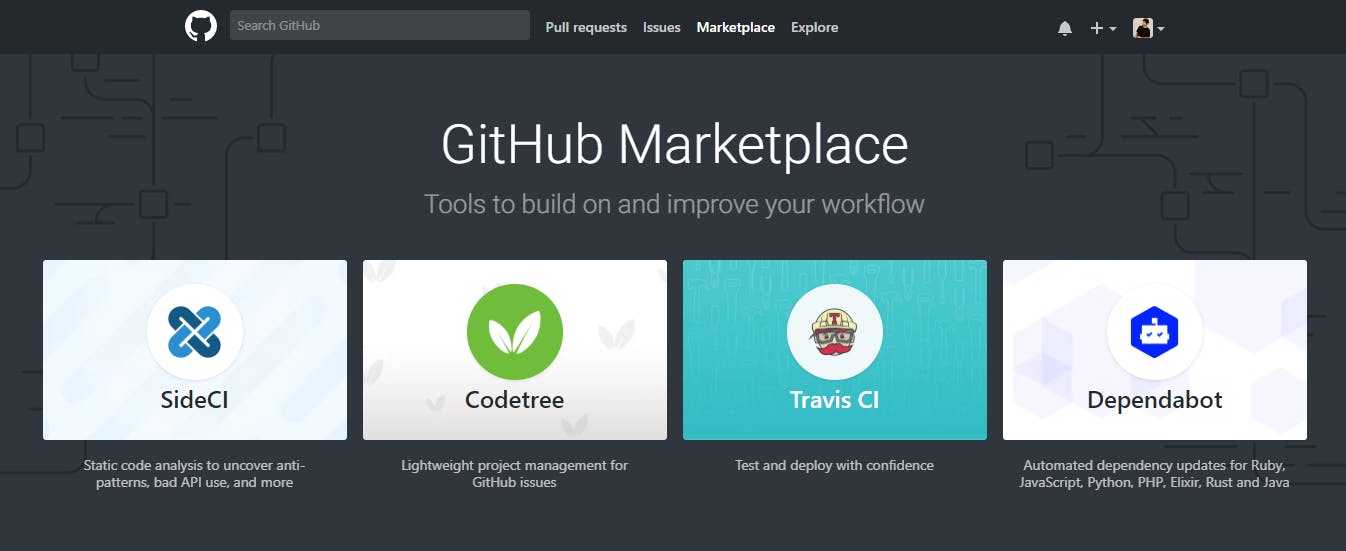
That’s awesome about GitHub, but what’s Probot?
Probot is a framework used to build GitHub Apps in Node.js. It removes all the boring job of receiving and validating webhooks, and doing authentication handstands, and let us focus on the features that we want to build.

Also, an app built on Probot is easy to write, deploy, and share. Many of the most popular Probot apps are hosted, so there’s nothing for you to deploy and manage.
Some Apps built on Probot
Let me share some popular applications built using Probot, ready to be used, just by clicking install.
Welcome Bot

This bot welcomes new user when they create a new issue, new pull request or first merge. Personally, this one’s my favorite.
Install Link: Welcome
GitHub Repository Link: behaviorbot/welcome
Used By: Vue.js, Electron
See it in live action
Stale Bot
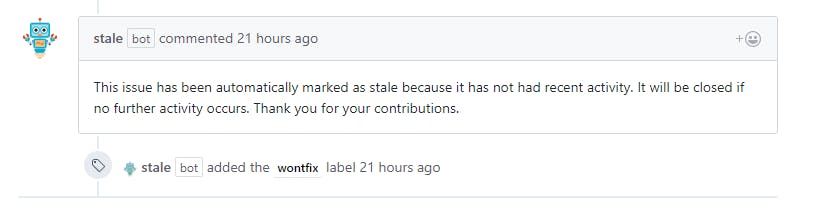
This bot closes stale issues and pull requests. Really handy if you have large contributors working on your repository and receive many issues and pull request.
Install Link: Stale
GitHub Repository Link: probot/stale
Used By: Atom, Facebook and Homebrew
See it in live action
Work In Progress
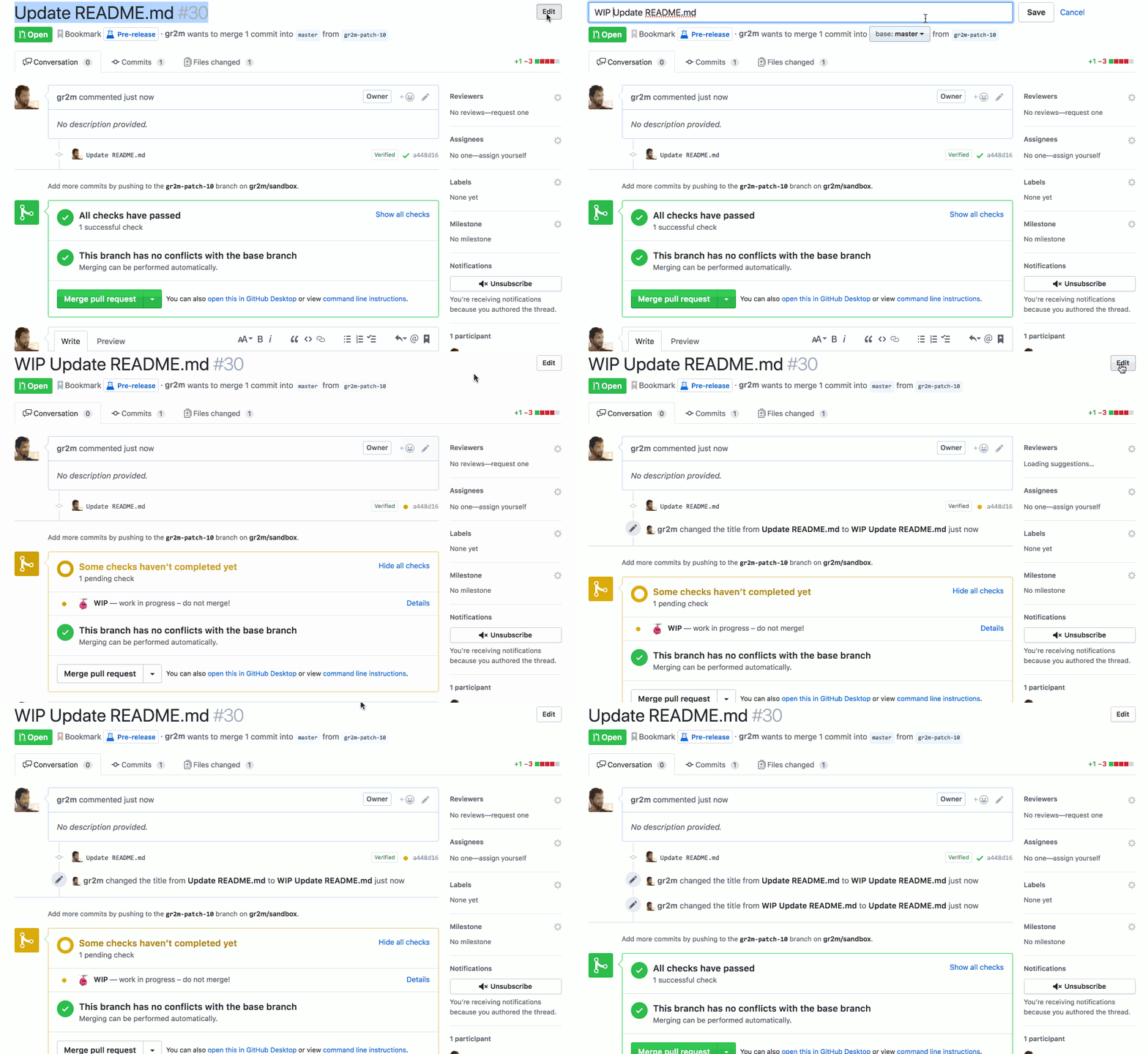
This bot prevents merging of pull requests by adding WIP in the title.
Install Link: Work in Progress
GitHub Repository Link: gr2m/wip-bot
Used By: Microsoft, Jekyll and Home Assistant
See it in live action
Unfurl Links Bot
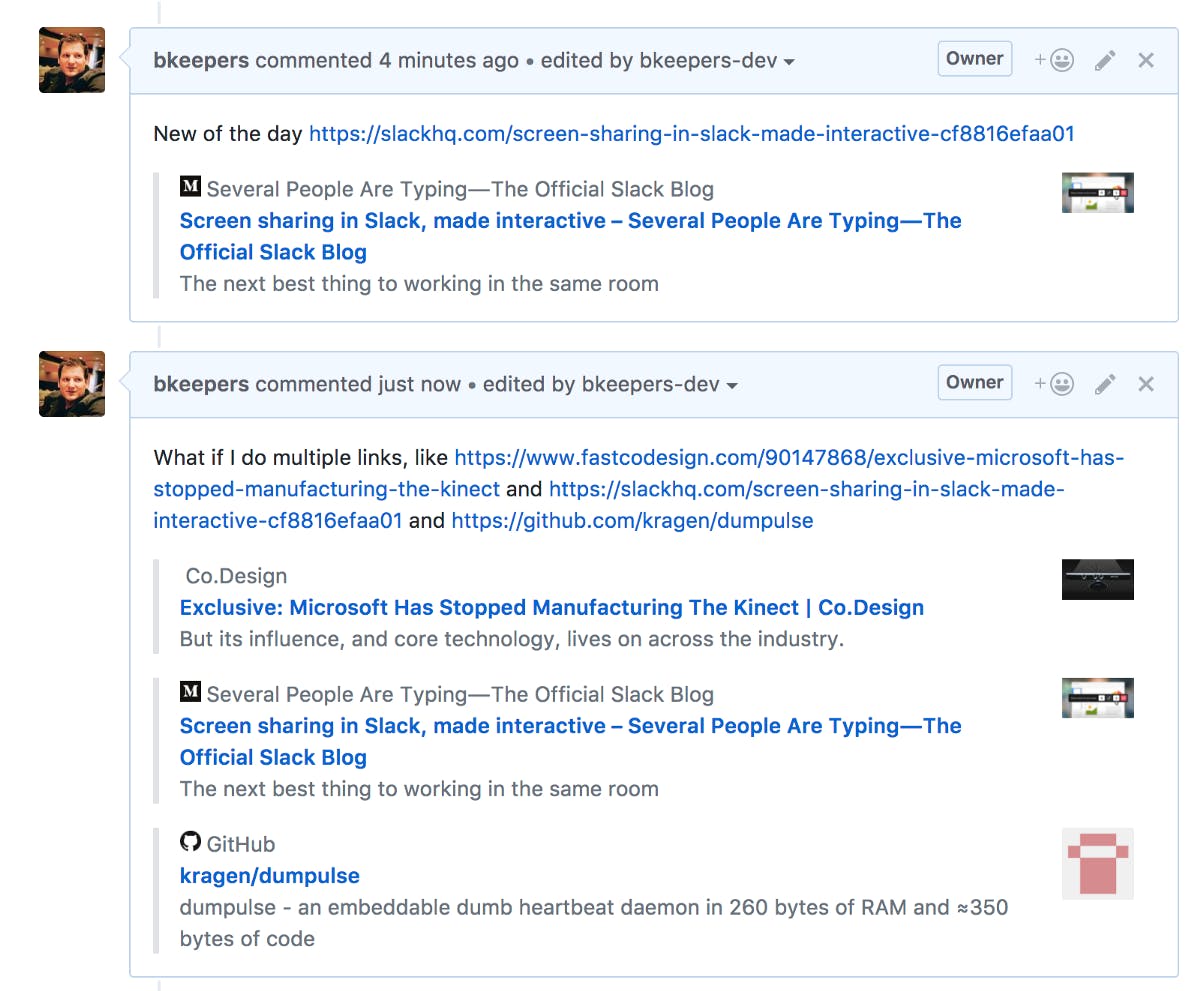
This bot adds more information about the link added in the comment. Personally, this is my second favorite.
Install Link: Unfurl Links
GitHub Repository Link: probot/unfurl
Used By: Reactive, Goreleaser and Game Server Managers.
See it in live action
Todo Bot
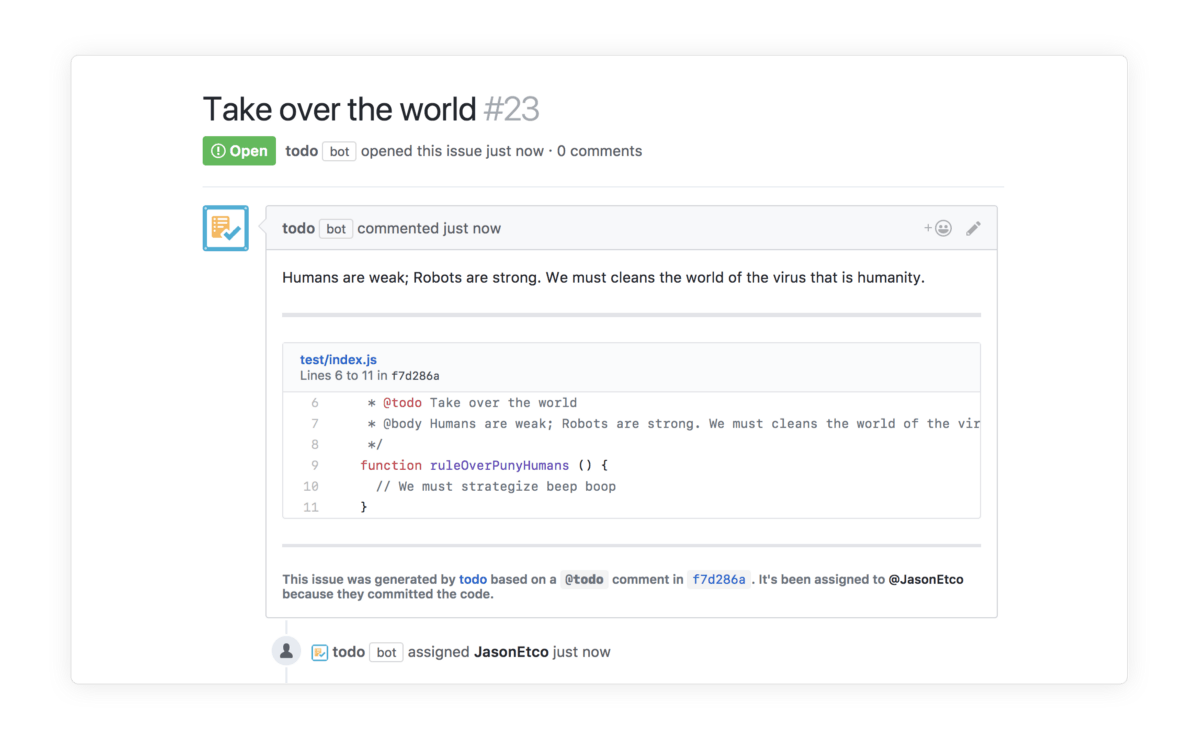
This bot creates new issues from actionable comments in your code.
Install Link: todo Bot
GitHub Repository Link: JasonEtco/todo
Used By: Mas-CLI, Laravel Backpack and SpoonX.
See it in live action
Reminders Bot
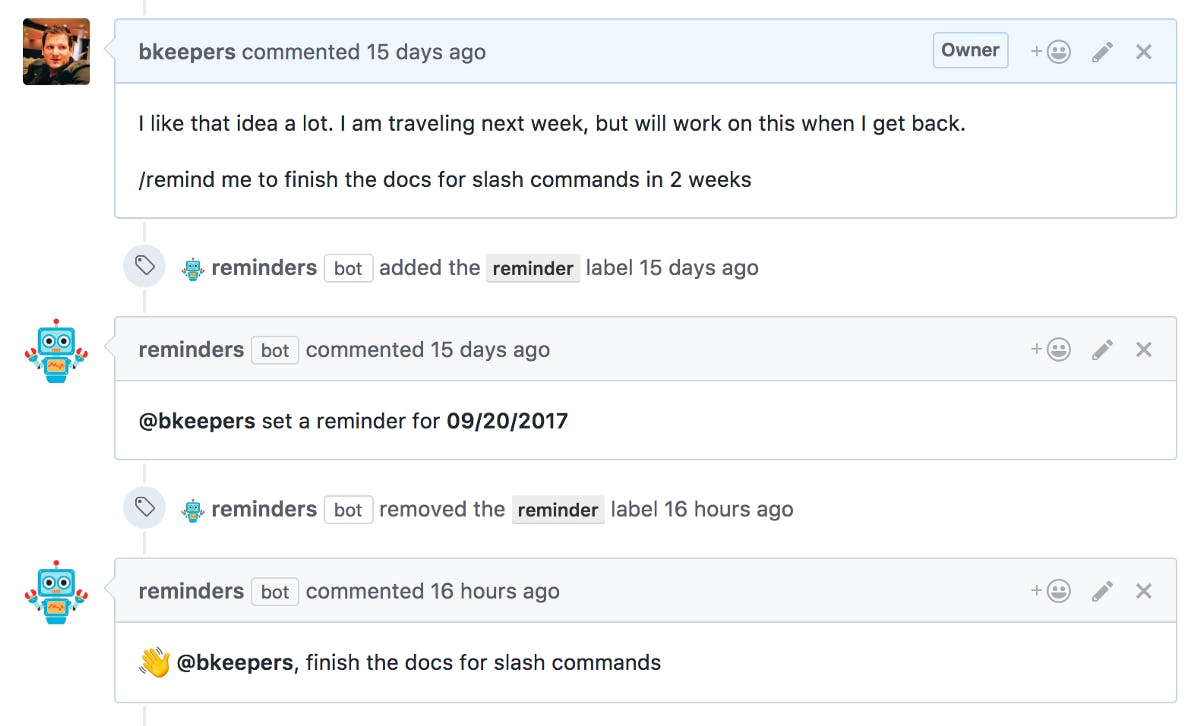
This bot set reminders on issues and pull requests.
Install Link: todo Bot
GitHub Repository Link: JasonEtco/todo
Used By: Git for Windows, ChaiJS, Devtools-HTML.
See it in live action
And the list goes on. Click here to explore more apps built on Probot.
Probot sounds interesting. But where should I get started?

Probot provides a really simple and easy to go documentation. The Getting Started section of Probot helps you to build your basic GitHub application based on Probot within a few minutes.
Click here to visit Probot Documentations and Start Building your own app.
”I wish if GitHub could…”

Have any idea? Share it with us!
Have a great idea? Please don’t limit the idea to yourself! Share your ideas with us! We’d all love to hear them. You can also discover other ideas for bots and create your own bots. Click here to share your idea with us and discover more ideas, by opening an issue here. Many developers are already working and have created few bots based on ideas suggested by people — like you!
Need help!?
Building GitHub application using Probot is fun. I have been building a GitHub app, but now I am struck. How can I get help?
That’s the beauty of Open Source Community! Got struck somewhere, and here comes your help.
Probot has a really cool community with really smart developers. Apart from the discussions which happen on Probot on GitHub, Probot is also available on Twitter.
The best way to give feedback, ask questions, get help or just chat about ideas is via joining Probot’s Slack Community. Click here to visit Join the Community page of Probot.
Additionally, you can add a question on Stack Overflow with the tag probot and share the question with us in the community
That’s all for Discover Probot — A Framework to Build Apps for GitHub. I hope my article helped you to discover Probot — framework to build apps for GitHub.
So, what are you waiting for? Share your awesome GitHub app idea with us and join this awesome community of awesome developers, and be a part of it!
This article was originally published on HackerNoon’s Blog. You can find the original article here.